
OT - Photo Fun

You're on Page 1 of 7
Go to
  • Since we're all a bunch of beggars when it comes to other people's photos, I thought I'd start a thread where we can just share some random recent photos!

    So, c'mon, people! Don't make me feel like an exhibitionist. Post any photos you want -- you, your garden (hint-hint ), kids, significant others, whatever you feel like!

    Attached are mine for the day. One is hubby and me on the way to Belmont for the horse races, the second is of my best friend of 20 years, Alician, and me when she recently visited New York, and the third is of my kitty cat Smarmy (awwww!).

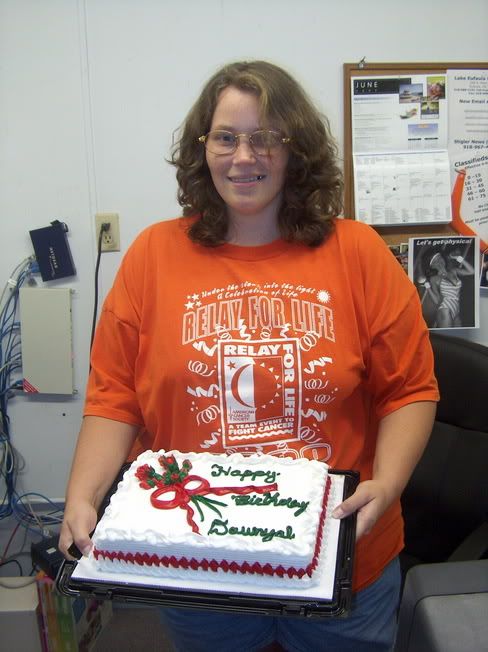

  • This one was taken with me and my birthday cake at work (on the 20th)
  • Okay, I'll go the children route. The first is my favourite pic of the future step-brats and the next is me and my daughter - on her wedding day (at which point I'd lost 40lbs.)

  • So these are G's kids Jilly?
    Or grand-step brats?

    I'm confused..... Well, whoever's kids they are...they are absolutely gorgeous little ones!

    xoxox
    Linda
  • Yes, they're G's girls!! I figure if I want grandchildren any time soon all I have to do is invite my daughter to visit this site
  • So many beautiful ladies on this forum...we definitely should meet.....
  • There needs to be a snort graphic to use when posting after Jillegal!

    Okay, here are my three children, and my son and granddaughter, who is also my avatar. She's a happy girl!

    P.S. The boys are single if anyone is interested!


  • The first two are of the nursery...almost finished...The color of the room looks different in the pics... It's the same. I've since added a few things not shown.

    The last are of my fur babies... The first is Lenny our new "Jug" he's a pug jack russell terrier mix and the last is Philly our shiz-tsu and Lenny..


  • They're just lovely Jill and Sheila! (I thought you'd been married to G forever...it sounds like you've got such a great relationship!)
    And Gretchen, that's one nice nursery and some cute pups

    xoxo
    Linda
  • This is fun.. Thanks Jen for starting this up!
  • We love Pics!
    Here are some from me. One of my DH Charles, one of my oldest Morgana (will be 7 in August) in her Dobok, one of my silly Ariana (will be 5 in July) and one of rowdy Ewan (turned 2 in April). Also included is a pic of me and Ewan taken Mother's Day 2003 (Ewan was only a few weeks old)


  • I LOVE that pic of your kids, Sheila - its such a great candid portrait of happy siblings.

    The nursery looks great, Gretchen - all that's missing is Carson!

    Laura! They'll all adorable!

    Well, Linda, G and I are happily living in sin, but I like to keep my options open ~ KIDDING!! We'll get married, but not until I learn how to pronounce his last name
  • Jill: Don't feel bad, Charles and I are also happily living in sin and have been for the past 8 years (9 years in November)! I call him DH to simplify things when posting on the board. We will get married (hopefully someday not too far off in the future), perhaps on some warm tropical beach (or just in Vegas!) after I reach my goal weight!

    Gretchen: What a lovely nursery! And those are some cute little doggies!
    Lovin' all the pics-must...see...more...
    LOL
  • I'm confused.... Can someone tell me how to do this? I tried,but no pics came up!
  • Quote: I'm confused.... Can someone tell me how to do this? I tried,but no pics came up!
    When you're on the "reply to thread" page scroll down to the "Additional Options" box, click on the "Manage Attachments" button and a window will pop up, click the "browse" button to search your computer for the picture you would like to add to your post. Select the file on your computer and click "open" then click the "upload" button. As long as the file is under a certain size you will see it listed after the upload. Repeat to upload as many as 5 files then click the "close window" button to bring you back to the "reply to thread" page.
    The photos will not show up until AFTER you click the "Submit Reply" button but if you scroll down again to the "Additional Options" box you will see the files listed.
    I hope this helps and isn't confusing.